Translation
A foreign-language mail in English or your preferred language, usually 1 cent at the standard tier.
AI tools
Translate, summarize, reply from keywords, and more: every AI tool in PixMail runs only when you press the button. Nothing runs in the background, nothing gets charged without asking.
Understand
These tools read along for you: a foreign-language mail in English, a long thread in a few sentences, an attachment without opening it. The AI bar above every open message brings them together in one place.
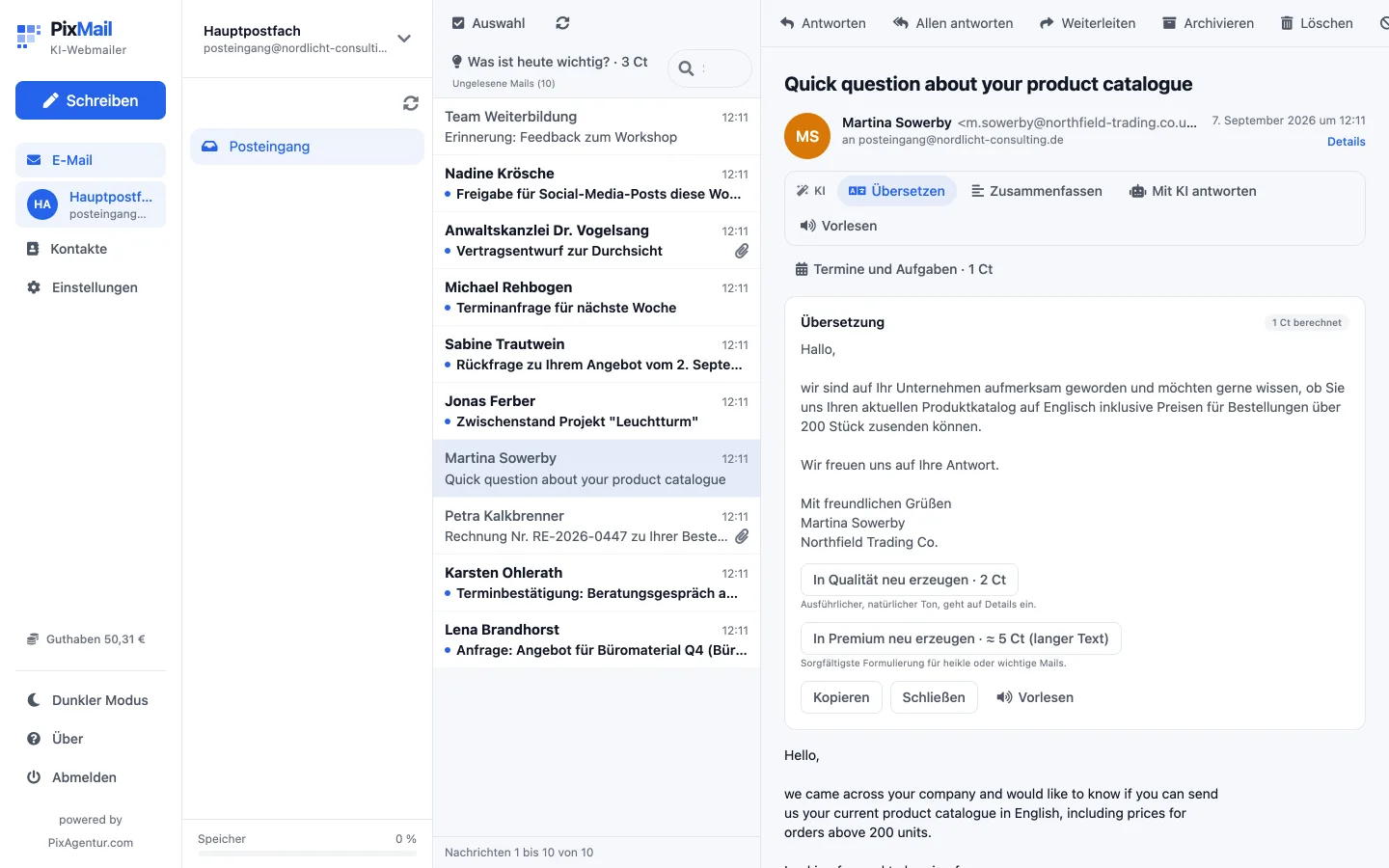
A foreign-language mail in English or your preferred language, usually 1 cent at the standard tier.
A single email or a whole thread in a few sentences, from 1 cent.
PDF, text, CSV, or Markdown summarized; for an invoice, the AI pulls out the amount, due date, and IBAN. Fixed price: 2 cents.
Dates and tasks from an open mail, as a card with a calendar file to download. Fixed price: 1 cent.
Read aloud for free in the browser, or as an MP3 in one of six voices, from 1 cent depending on text length.
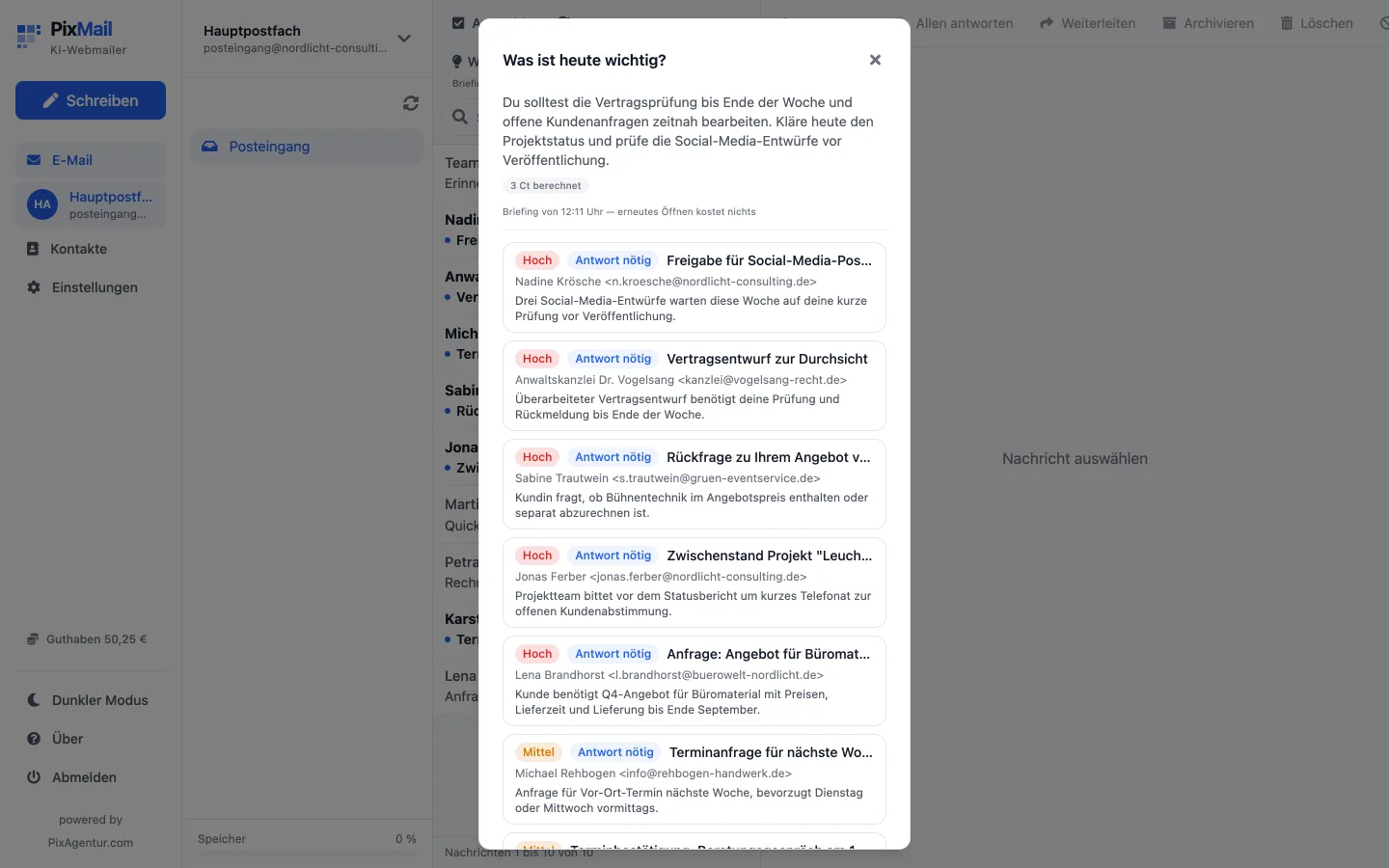
Briefing
One button above your inbox reads up to 30 emails, unread ones first, and sorts each by priority and whether it needs a reply, with a short summary in your language. It's not a ranking learned over time, just a single look at what's there right now. Fixed price: 3 cents, no matter how many emails it covers.
Write
These tools help with your own writing: keywords become a reply, a draft gets a different tone, a description becomes an image. Reply from keywords works two ways: guided, where you type keywords and the AI writes them out, or from context, where it reads only the original mail and the tone and drafts the reply itself. If it's missing something only you would know, it asks instead of making it up.
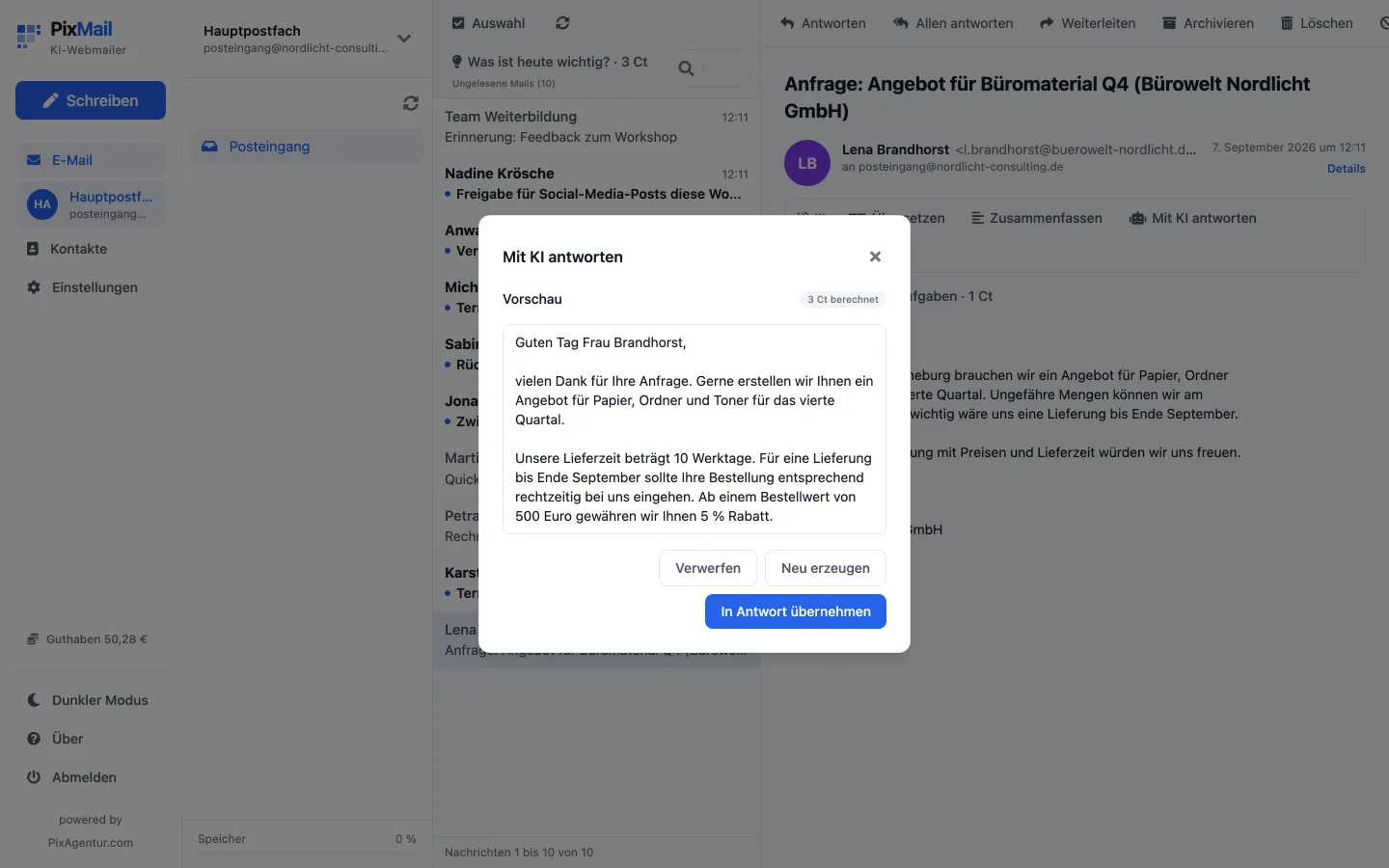
Guided with your own keywords, or entirely from context, usually 1 cent.
The same draft more formal, more casual, or shorter, from 1 cent.
Tone, politeness, clarity, and length of your draft, with a suggested fix. Fixed price: 1 cent.
Three subject lines drawn from the mail's content. Fixed price: 1 cent.
A finished signature from your name, role, and preferred style, usually 1 cent.
An image as an attachment, made from a description, three tiers and three formats, from 5 cents to about 1.20 euros depending on your choice.
Choose
Standard, Quality, and Premium differ in model and writing style, from brief to careful. Premium is something you switch on when you need it, not the default path.
Standard
Short or automated messages do not need a more elaborate style.
Quality
This mail sounds formal or like a customer request, so it is worth more care.
Premium
Invoices and contracts deserve the most careful wording.
For "Reply from keywords", PixMail shows you two tiers side by side the first time. That first comparison costs less than both replies bought separately.
Your credit only drops once the reply has arrived, and only if it covers the price. You see your balance in the app at all times, and the price list under Settings → Credit.
All prices, packages, and worked examples live on their own page.