Skip to content

AI webmailer

Understand your mail. Replies that land.

PixMail is a webmail client for your own mailbox. Next to it stands an AI that translates mail in other languages, summarizes long threads, and turns three keywords into a solid reply.

  • No subscription, no minimum spend
  • Your IMAP account, your provider
  • Starting credit to try it out
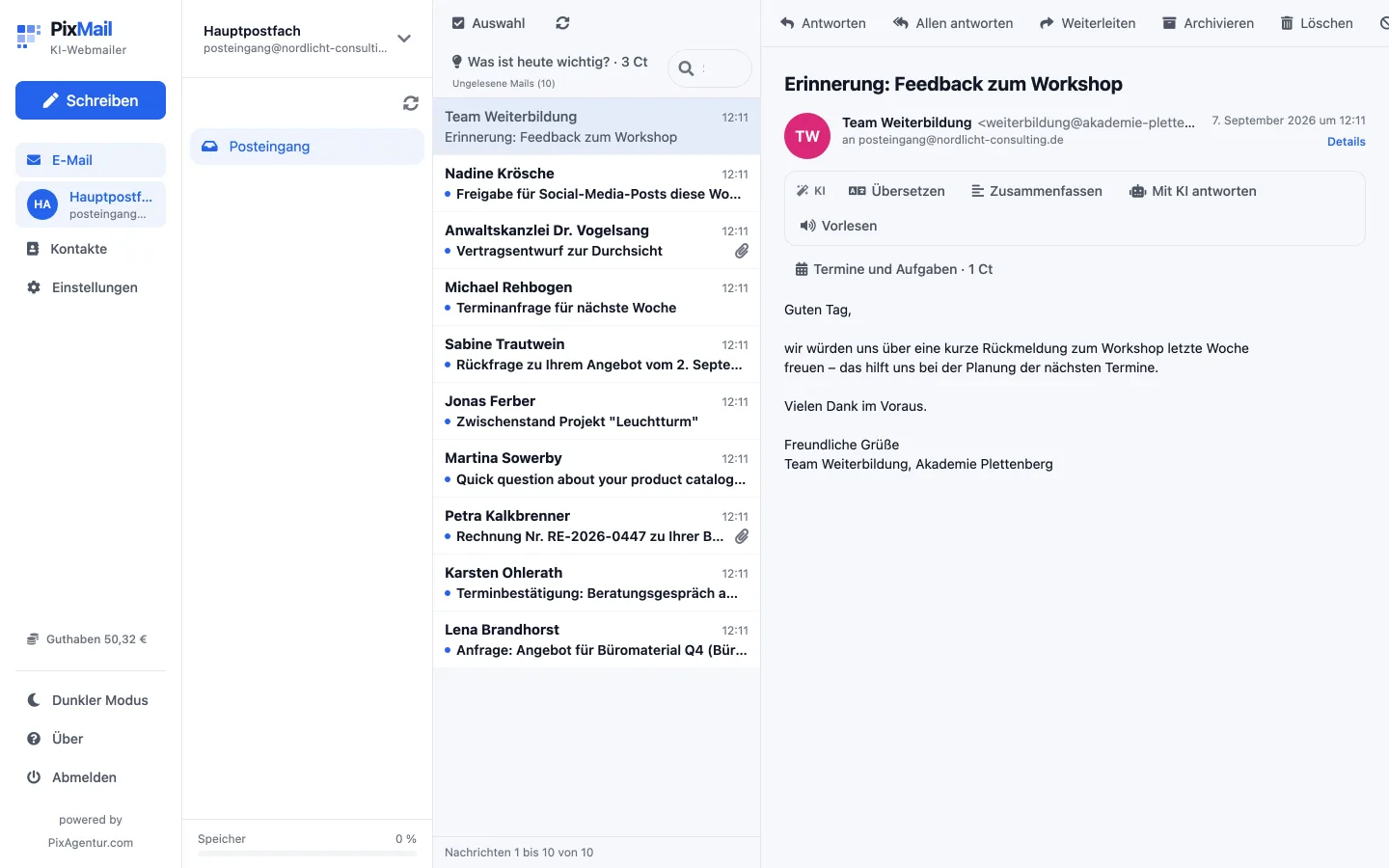
The PixMail inbox with a folder list, message list, and an open message

Who it's for

For anyone who spends more time on email than they'd like

PixMail isn't built for people who love email. It's built for everyone else.

When the mail arrives in a language you can't quite write

You read the translation, type your reply in keywords, in whatever language suits you, and PixMail turns it into a clean text in the language your reader needs. No switching to a translator, no guessing at the tone.

When forty emails are waiting in the morning

The briefing reads your inbox and tells you in a few sentences what matters today, who's waiting on you, and what was just marketing. It pulls out events and tasks along the way.

When your mail should stay yours

You provide your own IMAP and SMTP account. PixMail is the interface in front of it: your messages stay with the provider of your choice, not with us.

AI tools

Thirteen tools, right where you need them

No chat window on the side. The AI bar sits inside the open mail and inside the editor, and your credit stays in view.

Reply from keywords

You type „Tuesday 2pm works“. Out comes a complete mail in the tone you chose. If something is missing, it asks instead of inventing it.

Translate

Read incoming mail in English, send outgoing mail in the recipient's language. Both right inside the view, no copying required.

Inbox briefing

Up to 30 emails at once: what's urgent, who's waiting for a reply, what can wait. One paragraph instead of a list.

Summarize

A single email or a whole thread, in two or three sentences.

Rewrite

The same text more formal, more casual, or shorter, with a tone check before you send.

Events and tasks

Pulls appointments out of the mail and gives you a calendar file to download.

Read aloud

Listen to a mail as an MP3, even on the go. It detects the language on its own.

Signature

A signature built from your name, role, and company that doesn't look like a template.

See all tools in detail

Privacy

Your mail never ends up in our database

PixMail talks to your mail server live. Messages, attachments, and headers pass through without being stored, not in the database, not on disk. Only the list of the folder you have open sits briefly in memory, so scrolling doesn't stutter.

0mail bodies and attachments in our database
2 minutesbrief cache of the folder list, in memory only
AES-256-GCMencryption for your credentials, key kept outside the database

Getting started

Up and running in ten minutes

No sales call, no appointment, no onboarding meeting.

  1. 1

    Create an account

    Register with an invitation code, email and password, then confirm your email address.

  2. 2

    Connect your mailbox

    Enter your IMAP and SMTP details, common providers are already set up. PixMail tests the connection before saving it. Multiple mailboxes are fine.

  3. 3

    Answer your first email

    Open a mail, choose "Reply" in the AI bar, type a few keywords, check the text, send. It goes out through your own SMTP server.

See the full guide

Price

Credit instead of a base fee

You pay for what the AI actually does for you, not for a month where you barely used it. The webmailer itself costs nothing extra.

How it works

  • Top up credit whenever you like. No subscription, no notice period.
  • You are only charged once the AI has replied. Your balance is always visible.
  • If your credit runs out, the webmailer keeps working as normal, only the AI pauses.
See packages and prices

Try it with your own mailbox

PixMail is currently invitation-only. Request your invitation code from PixAgentur.

The webmail client remains free to use after the trial. AI actions require credit.